Proxmox
The installation process for Proxmox is very straightforward. Burn the ISO to a USB thumbdrive, boot to it, and then complete the installation guide.
I set the IP address to 192.168.0.254 and the host name to pve. I also created a DHCP address reservation in pfSense using the MAC address of the NIC connected to the local network.
There are 2 network ports in use: one is connected to the local network and the other directly to my ISPs ONT.
Backups
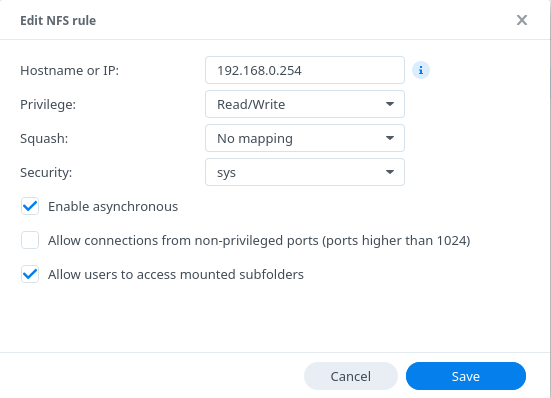
I created a share on my Synology NAS to store backups called pve-backups and enabled NFS on it.
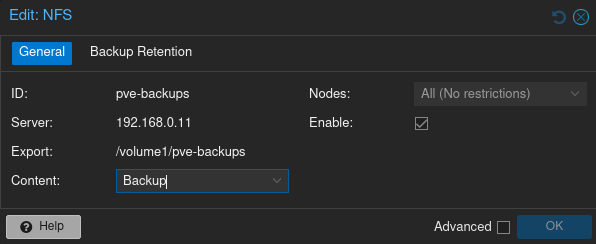
Then in the proxmox web gui, under Datacenter > Storage, added the NFS share.
Then under Datacenter > Backup created a job to backup all of my VMs at 3am every day, retaining the last 60 backups.
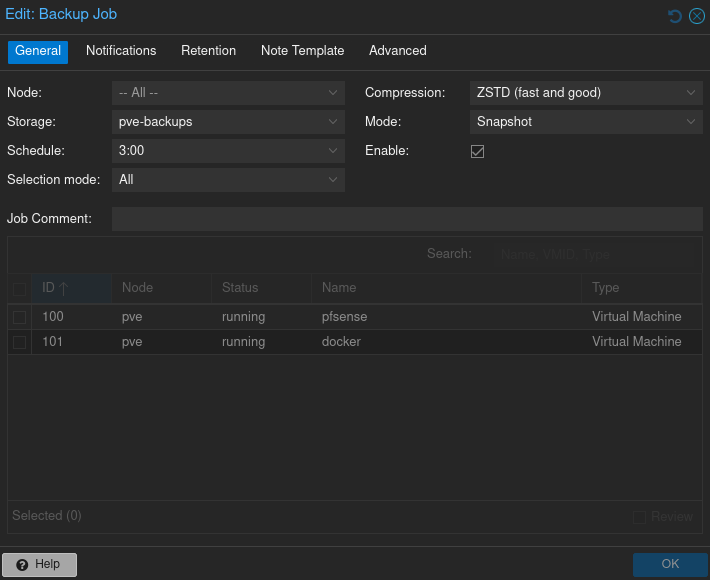
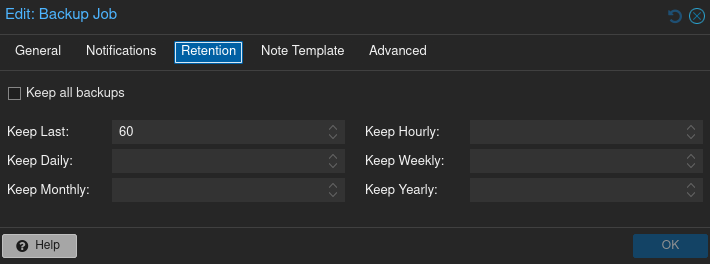
60 days of backups should be more than enough for a home environment.
Notifications
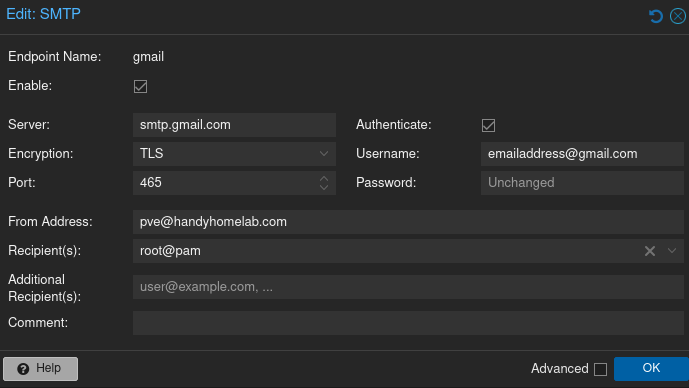
Under Datacenter > Notifications, I configured proxmox to send emails to my gmail account. I had to log into gmail and create an app password specifically for proxmox.
First, I disabled the built in notification target and notification matchers. Then I created a new SMTP notification target:
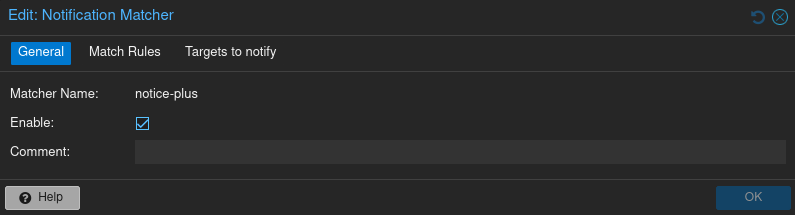
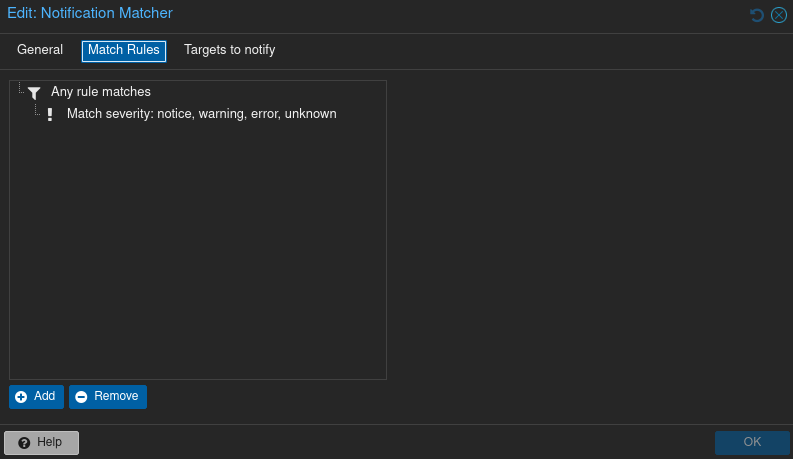
I then created a new notification matcher:
Network
I then had to configure the network devices for the host.
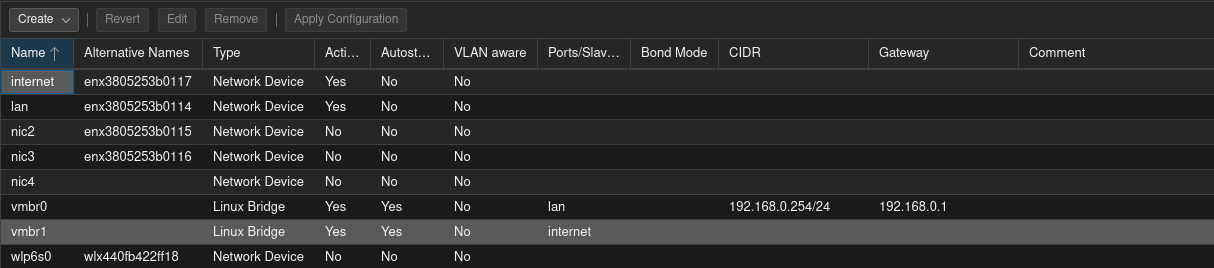
During setup I was able to name one NIC as internet and one as lan. They each needed a linux bridge. When performing the setup, I had only connected the lan NIC and it automatically created the vmbr0 linux bridge, so I simply had to create a linux bridge for the internet NIC. It only needs to point to the internet NIC, and that's it.
Updates
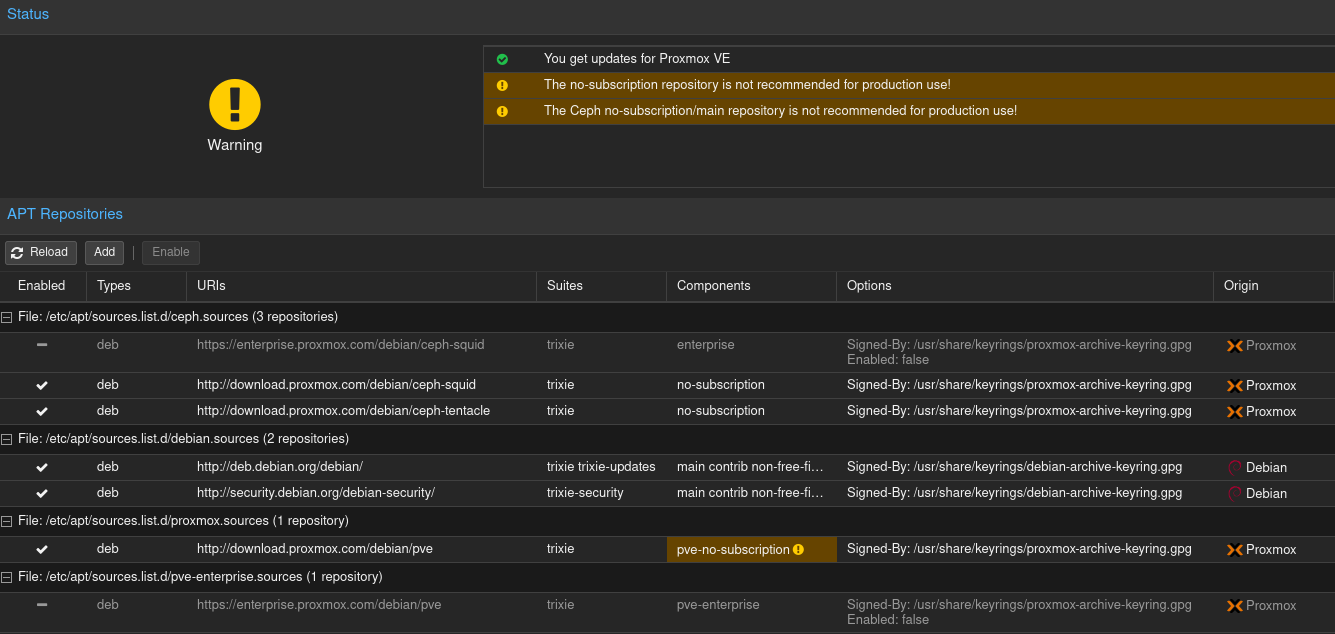
Since I do not have a proxmox subscription at home, I needed to configure the update repositories to use the free repos and not the enterprise repos. The settings for the repos can be found by going to Datacenter > pve (or whatever the node's name is) > Updates > Repositories. Selecting the enterprise repos and clicking disable will of course, disable them. Then clicking the Add button, selecting the No-Subscription option, and clicking add. Then repeat for all No-Subscription options get you this: